Available Settings
Dark Mode (Header)

Toggle between light and dark mode using the sun/moon icon in the top-right corner of the header. Your preference is saved automatically and persists across sessions, so the app always opens in your chosen mode.
Default LinkCard View (Settings page)
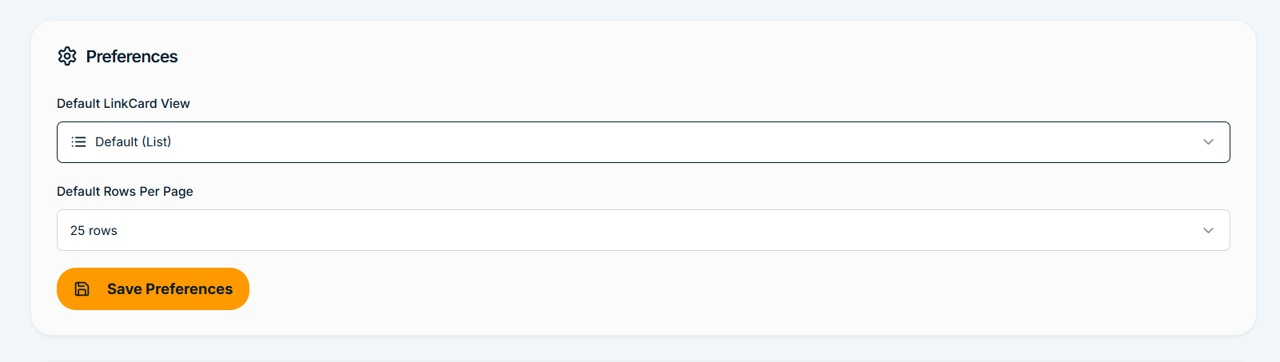
Choose your preferred default view when opening the LinkCard. List View displays your placements as a compact, sortable, and filterable table. Widget View displays each placement as an expanded card with more detail visible at a glance. Your selection here sets the default, but you can still switch between views directly on the LinkCard at any time.
Default Rows Per Page (Settings page)
Set how many rows are displayed per page across the LinkCard, My Orders, and other paginated views. Available options are 25, 50, 100, and 200 rows per page. Choosing a higher number is useful if you have a large backlink portfolio and want to reduce the number of pages you navigate through.
Bookmarks Bar (LinkCard)

The Bookmarks Bar appears below the header when enabled on the LinkCard, and shows quick-access shortcuts to your Sub LinkCards filtered by domain. Toggle it on or off using the Bookmarks Bar toggle on the LinkCard. When enabled, the bar persists as you navigate across your LinkCard views, giving you fast one-click access to the domain tabs you use most.