Overview
Your LinkPanda account balance is used to pay for backlink orders. Before placing orders, you need to have sufficient funds in your account. This guide explains how to deposit funds, check your balance, and understand how your balance is used during the ordering process.
Checking Your Current Balance
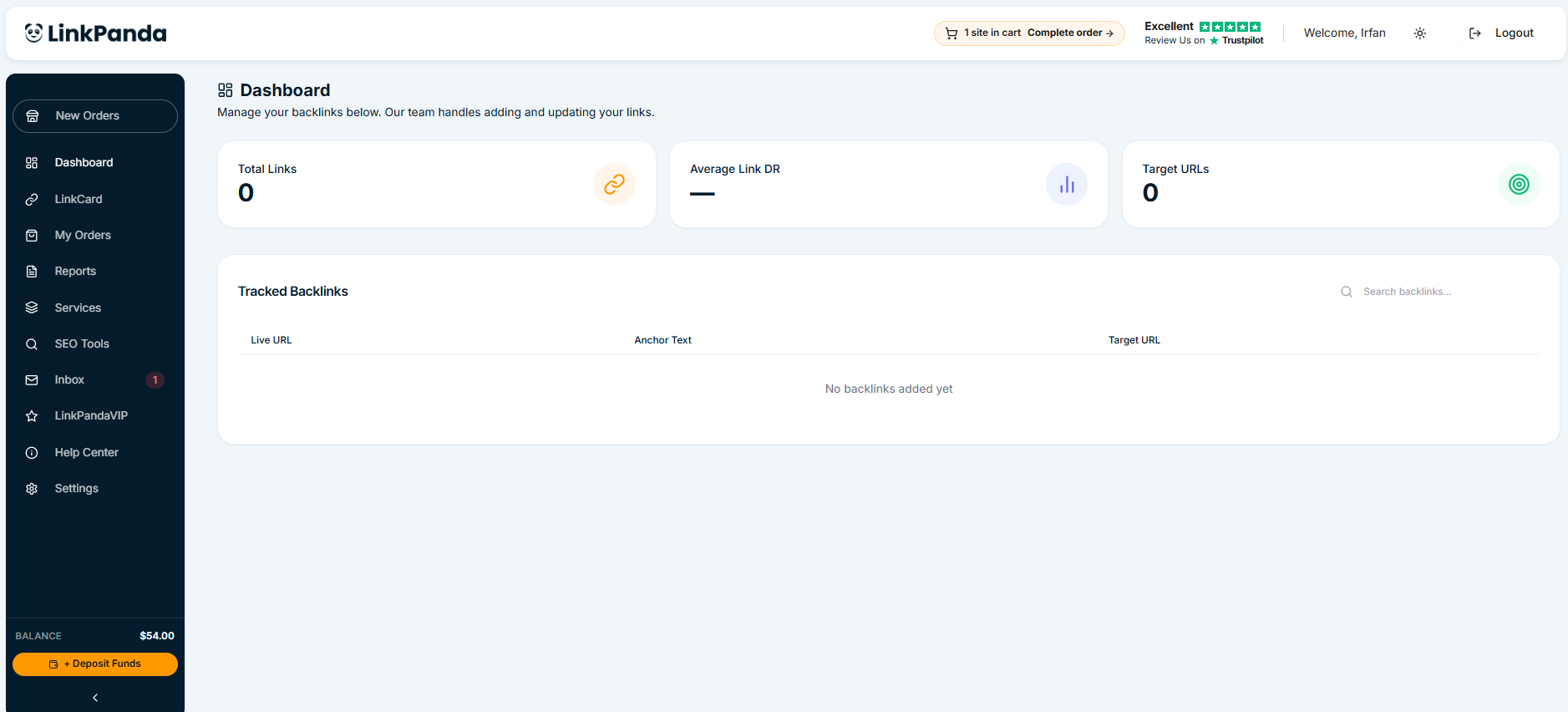
Your account balance is displayed at the bottom of the left sidebar on every page of the LinkPanda app. It shows your available balance in USD at a glance, so you always know how much you have available before selecting sites.
How to Deposit Funds
To add money to your account, click the yellow + Deposit Funds button at the bottom of the left sidebar. This button is available on every page of the app.
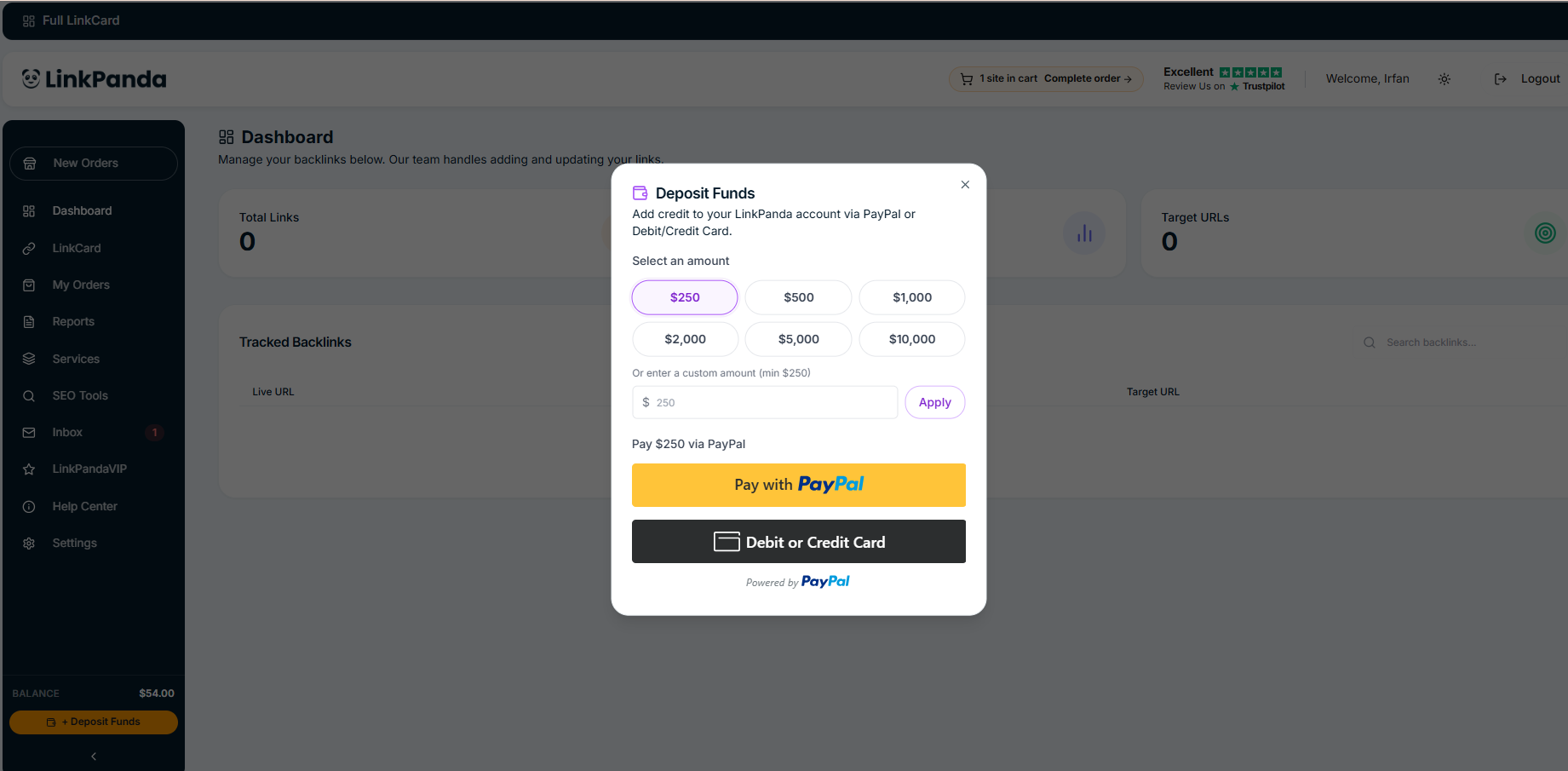
A deposit panel opens with preset amount options. Choose from the preset amounts or enter a custom amount in the input field, then click Pay Now via PayPal to complete the payment securely.
Preset Deposit Amounts
When you open the Deposit Funds panel, you will see several preset amounts to choose from for convenience. You are not limited to these presets and can enter any custom amount in the field provided. Once you select or enter an amount, click Pay Now via PayPal to be taken to the PayPal payment screen.
How Funds Are Used When Ordering
When you place an order on LinkPanda, the total cost is deducted from your account balance. If your balance is lower than the total cost of your cart, you will need to deposit additional funds before completing the order. You can always check your balance in the sidebar before reviewing your cart.
PayPal Invoices
After an order is placed and confirmed, a PayPal invoice is sent to your billing email address. The invoice shows as Unpaid until payment is made. You can view and pay the invoice directly from the Order Confirmed page by clicking the View Invoice button, or by opening the link in your billing email.
Tracking Your Spending
To review your order history and the amounts spent on each order, go to My Orders in the left sidebar. Each order card shows the total amount charged. For a full breakdown of your backlink investments across multiple sites and campaigns, visit the Reports section.
Need Help?
If you experience any issue with a deposit, or if your balance does not update after payment, contact your account manager through Inbox in the left sidebar or reach out to LinkPanda support.