
How to Access Services
The Services page can be accessed in two ways:
- Click Services in the left sidebar navigation inside the app.
- Click Services in the top header menu, which is visible across all pages of the app.

Browsing Services
The Services page opens on the All Services tab, which lists every available service category. There are two additional tabs to filter the view:
- Projects: One-time packaged services with a defined number of links and a fixed price per link.
- Retainers: Ongoing monthly link building plans with a set number of links delivered each month.
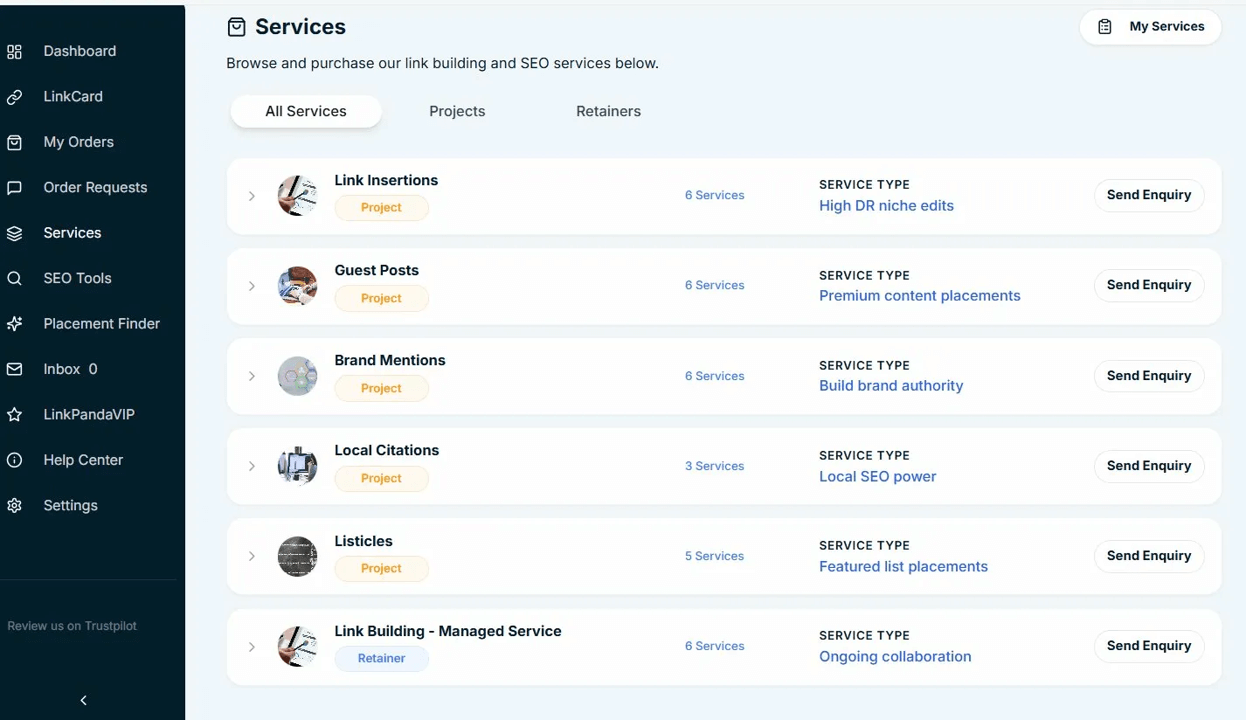
Each service category in the list shows the service name, a Project or Retainer badge, the number of available packages within that category, and a brief service type description. There is also a Send Enquiry button on each row for quick access.
Expanding a Category
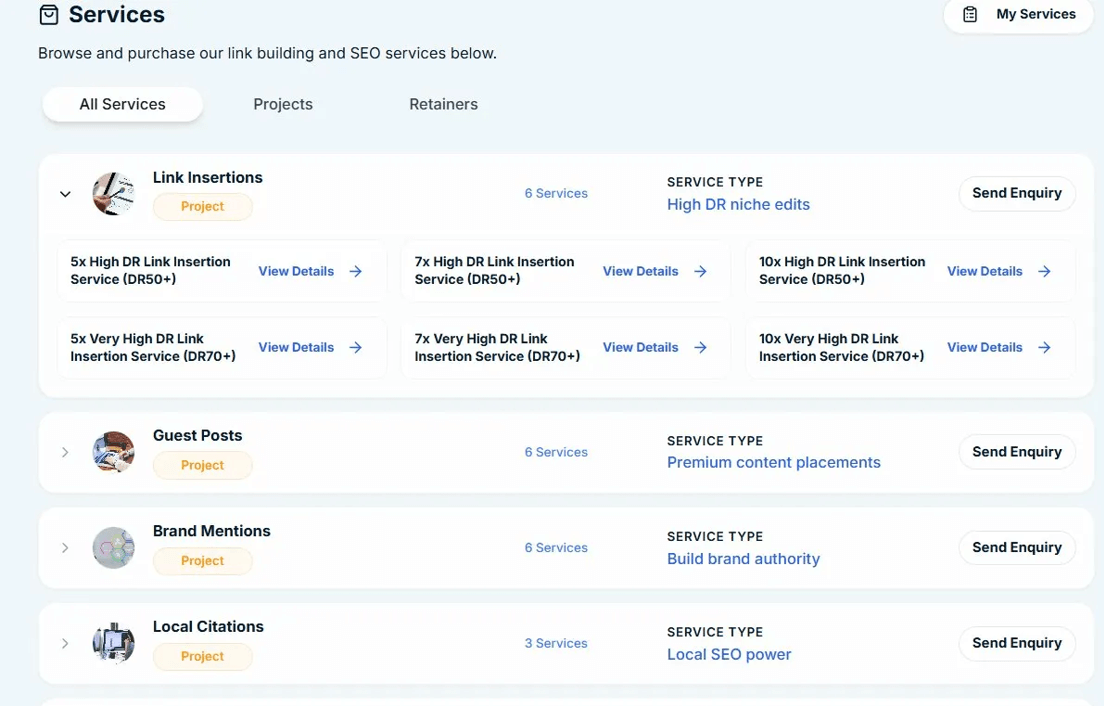
Clicking the arrow on any service row expands it inline to reveal all the individual packages within that category. For example, expanding Link Insertions shows all six packages available, grouped by quantity and DR tier, each with a View Details link. You can collapse the row again by clicking the arrow a second time.
Viewing a Service Category Page
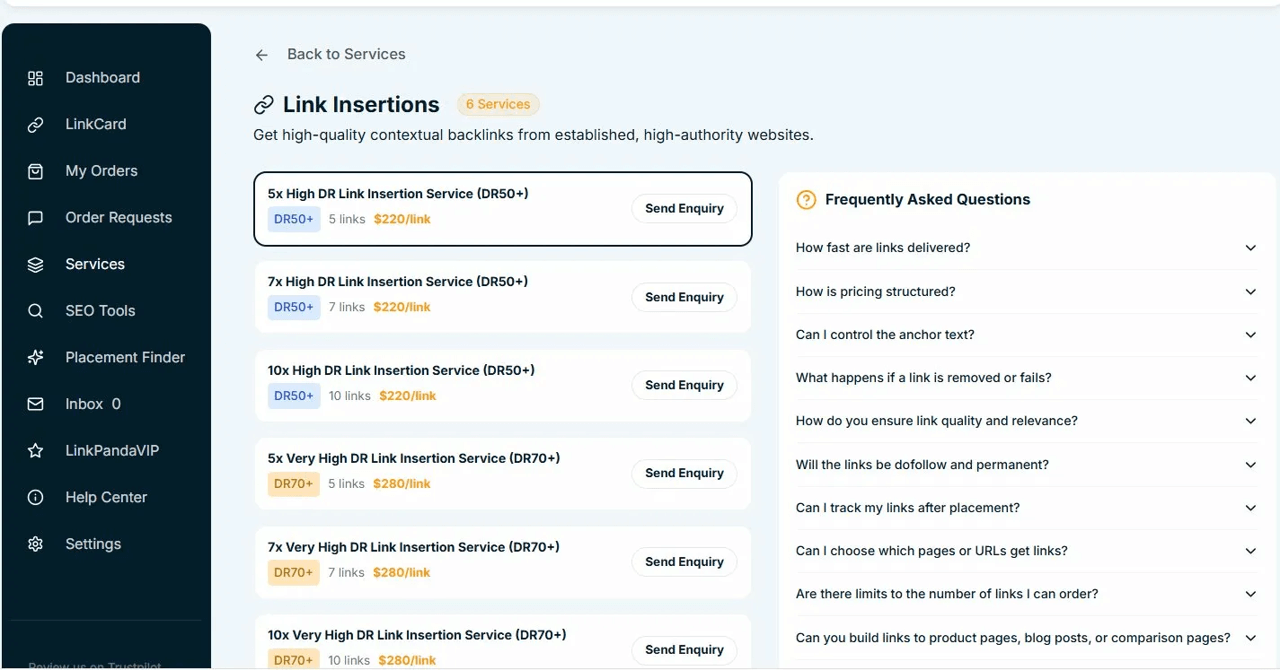
Clicking View Details on any individual package opens the full category page for that service, with the selected package pre-highlighted so you can proceed directly. Each category page includes:
- A description of the service type.
- All available packages listed with their DR tier badge, number of links, and price per link or per month.
- A Send Enquiry button on each package to submit an enquiry for that specific option.
- A Frequently Asked Questions section on the right side of the page, with expandable answers covering common questions about that service type.
You can return to the main Services page at any time by clicking Back to Services at the top of the category page.
Project Services
Project services are one-time packages. The following categories are available:
My Services
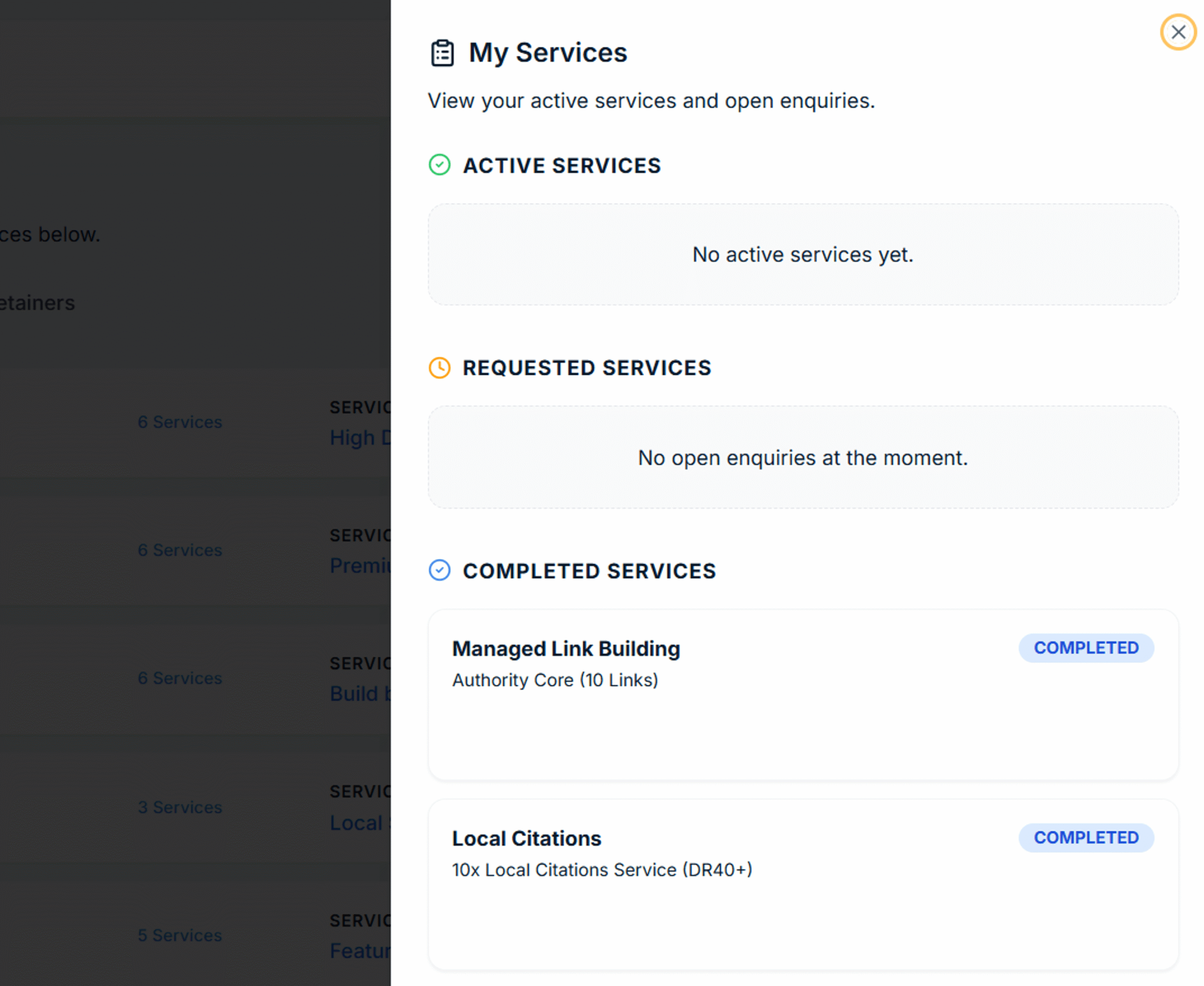
Clicking My Services in the top right of the Services page opens a panel showing the current state of all your service activity. It is divided into three sections:
✓ Active Services
Shows any services that are currently live and running on your account, such as an active Managed Link Building retainer. If no services are currently active, this section displays No active services yet.
◷ Requested Services
Shows any open enquiries you have submitted that are awaiting a response from the LinkPanda team. Once the team has reviewed your enquiry and confirmed the service, it will move to Active Services. If there are no pending enquiries, this section displays No open enquiries at the moment.
✓ Completed Services
Shows services that have been fully delivered and closed out. Each completed entry shows the service name, the specific package that was purchased, and a Completed badge. For example, a completed Managed Link Building retainer at the Authority Core (10 Links) tier, or a completed Local Citations package, will both appear here for your records.
Sending an Enquiry
Every service and individual package has a Send Enquiry button. Clicking it sends a request to the LinkPanda team, who will follow up via your account email with pricing confirmation and next steps. Use enquiries for standard packages or for custom requirements that fall outside the listed options.