
How to Add a Team Email
1. Click Settings in the left sidebar.
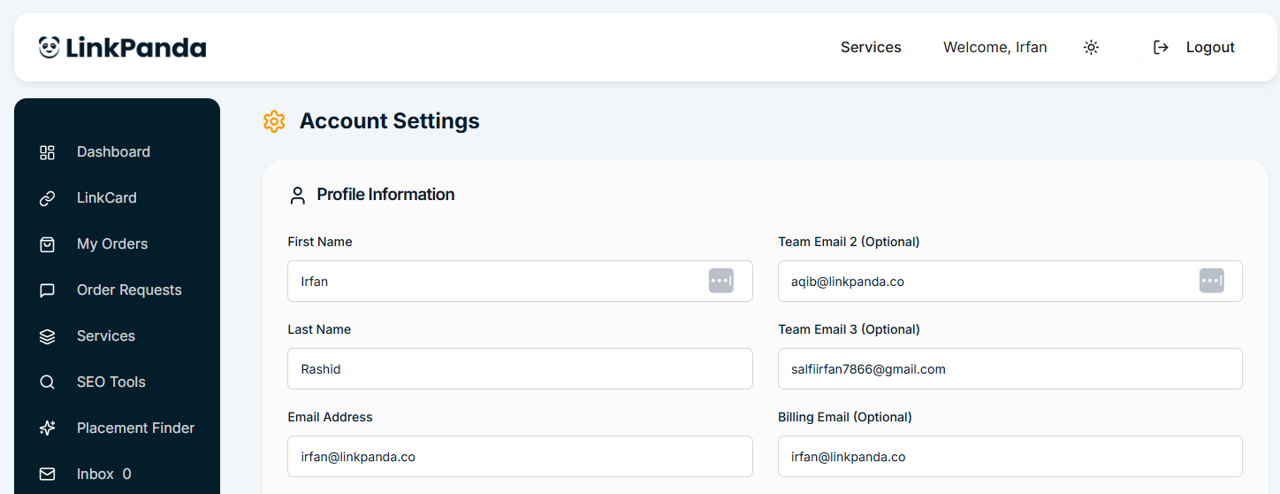
2. In the Profile Information section, locate Team Email 2 and Team Email 3 on the right side of the form.
3. Enter the email address you want to add into the relevant field.
4. Click Save Profile. The address is saved immediately with no confirmation email required.
The person can then log in using that email address and the account’s shared password.
What Team Email Holders Can Access
Team email holders share full access to the account. When logged in they can view the LinkCard, browse orders, submit new order requests, access Services and SEO Tools, and view Settings. There is no restricted or read-only mode, all team emails have the same level of access as the primary account holder.